AI Moodboards for Branding: Fast Workflow That Gets Approved
Why AI-Assisted Moodboards Work So Well
Moodboards exist to reduce expensive guesswork. Before a brand refresh, product launch, or website build burns hours (and budget), a strong board makes the “look and feel” concrete enough to approve—and actionable enough to design from. AI adds speed to the earliest phase: exploring visual routes, suggesting palette families, and expanding ideas you can curate into a clear direction. The key is keeping taste and decision-making in human hands, then using AI as a fast sketchbook rather than a final answer. For more guidance, see How to Create a Brand Mood Board – Coursera.
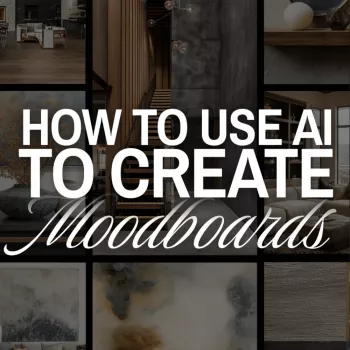
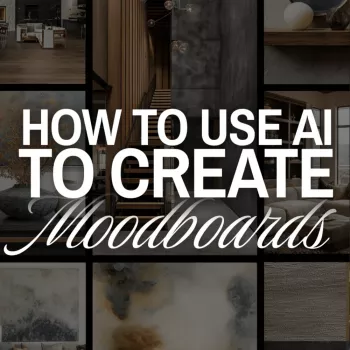
If you want a ready-to-follow workflow and examples you can reuse across projects, the How to Use AI to Create Moodboards | Digital Guide for Designers, Creatives, Entrepreneurs, and Branding Inspiration is a practical companion for building boards that clients and teams can actually approve. For further reading, see 12 Best Mood Board Generators for Creatives – Moonb.
What a Moodboard Needs to Do (and What It Should Avoid)
A moodboard’s job is not to be “pretty”—it’s to communicate a decision-ready visual direction for a specific outcome: brand identity, campaign creative, packaging, interior styling, web design, or content templates. Done well, it helps choose color, typography direction, photography style, illustration style, composition, and materials.
What to avoid:
- Unrelated aesthetics. A board with too many vibes leads to vague feedback and slow approvals.
- Inspiration that becomes imitation. Reference the qualities (lighting, texture, hierarchy), not the exact layouts, logos, or distinctive brand assets.
- Zero criteria. If you can’t explain why each item belongs, it’s not supporting a decision.
Set Constraints First: The 10-Minute Creative Brief
AI outputs only become useful when the constraints are clear. A fast brief keeps exploration focused and prevents a board from drifting.
- Pick 3–5 brand adjectives (warm, editorial, modern, grounded, optimistic) and add 3 “not this” adjectives (cold, corporate, playful).
- Define audience and context: where the visuals will live (e-commerce, social, pitch deck, signage) and what the viewer should feel.
- Note practical boundaries: accessibility needs, existing brand elements, production realities, deadlines, and legal restrictions.
- Write a “north star” sentence: something repeatable during curation, like “Premium but friendly; minimal but textured.”
For stakeholder conversations that need quick alignment before visuals are even discussed, a structured question set can help. The Meaningful Conversation Starter Guide | Printable Guide for Dating, Friendship & Networking | Deep Questions & Prompt Examples can be repurposed for brand workshops to surface preferences and “no-go” reactions fast.
Collect Seed Inputs for AI (So Outputs Match the Vision)
Before generating anything, collect seed inputs that act like guardrails. Aim for 8–15 references that reflect what you mean—not what you can describe.
- Gather references by category: photography style, lighting, layout, textures, packaging, typography examples, color moods, and materials.
- Extract observable traits: contrast level, saturation, softness, grain, negative space, shape language, and typographic tone.
- Create a palette of cues: 5–10 keywords tied to visuals (linen texture, soft shadows, matte black hardware, serif headlines).
- Decide what must stay consistent: for example, always natural light, always muted palette, always high-contrast type.
For interior or lifestyle brands, a single product can anchor material cues. Something like the Luxury Gold Crystal Branch Chandelier – Modern Ceiling Pendant Lighting can define “sparkle vs. matte,” “warm metal vs. cool metal,” and the level of drama you want in a space-focused direction.
AI-Assisted Exploration: Generate Options, Then Narrow Ruthlessly
Think in rounds. The first round is about breadth; the second round is about clarity; the third round is about cohesion.
- Round 1 (broad): build 3–4 distinct directions.
- Round 2 (tight): choose one direction and iterate with stricter constraints.
- Round 3 (cohesive): remove anything that doesn’t reinforce the chosen direction.
Label each cluster so feedback stays specific (“Minimal Botanical,” “Modern Artisan,” “Bold Editorial”). Favor variation over volume: 12 strong candidates beat 120 random outputs. For every kept image, attach a short note such as “texture reference,” “color mood,” “composition,” or “type vibe.”
| Stage | Best for | Tool examples | Practical tip |
|---|---|---|---|
| Idea expansion | Generating multiple visual directions quickly | Midjourney, DALL·E, Adobe Firefly | Create 3–4 labeled directions and keep only the top 3 per direction. |
| Background removal & cleanup | Making a board look cohesive and professional | Photoshop, Canva, remove.bg | Standardize margins and crop ratios to reduce visual noise. |
| Layout & collaboration | Board building, comments, and versioning | Figma, Canva, Milanote | Lock a grid and reuse it for every iteration so comparisons are fair. |
| Color exploration | Testing palette options and harmony | Adobe Color, Coolors | Test palettes against accessibility contrast before finalizing. |
| Typography pairing | Finding type directions that match mood | Google Fonts, Adobe Fonts | Choose one headline direction and one body direction; avoid adding a third too early. |
Helpful references for building and validating your board include Adobe Color, Figma Design, and Canva’s Mood Board Maker.
Build the Digital Board: Layout Rules That Make Approvals Easier
Boards get approved faster when they read like a system, not a scrapbook. A practical structure:
Create Three Lanes: Core, Stretch, and No-Go
Branding-Specific Checks Before Sharing
Ethics and Rights: Using AI Responsibly in Moodboards
Turn the Moodboard Into Action: Next Deliverables
FAQ
What should be included in a digital moodboard for branding?
Include a hero image, 6–12 supporting visuals, 2–4 texture/material swatches, a 5–7 color palette with codes, typography specimens, and a short direction summary plus a no-go lane.
How many images should a moodboard have?
Aim for 10–20 curated items total. That’s usually enough to show pattern and consistency without making the direction feel scattered.
Can AI-generated images be used directly in client work?
They’re safest as exploration and reference. For production, use licensed assets or original photography/illustration, and confirm usage rights based on the tool’s terms and the project’s legal requirements.
Recommended for you

220V Smart Air Fryer Oven Guide: Crispy, Fast Meals
Sep 12, 2026
6.5L Smoke-Free Air Fryer for Fast, Crispy Meals
Sep 13, 2026









Leave a comment